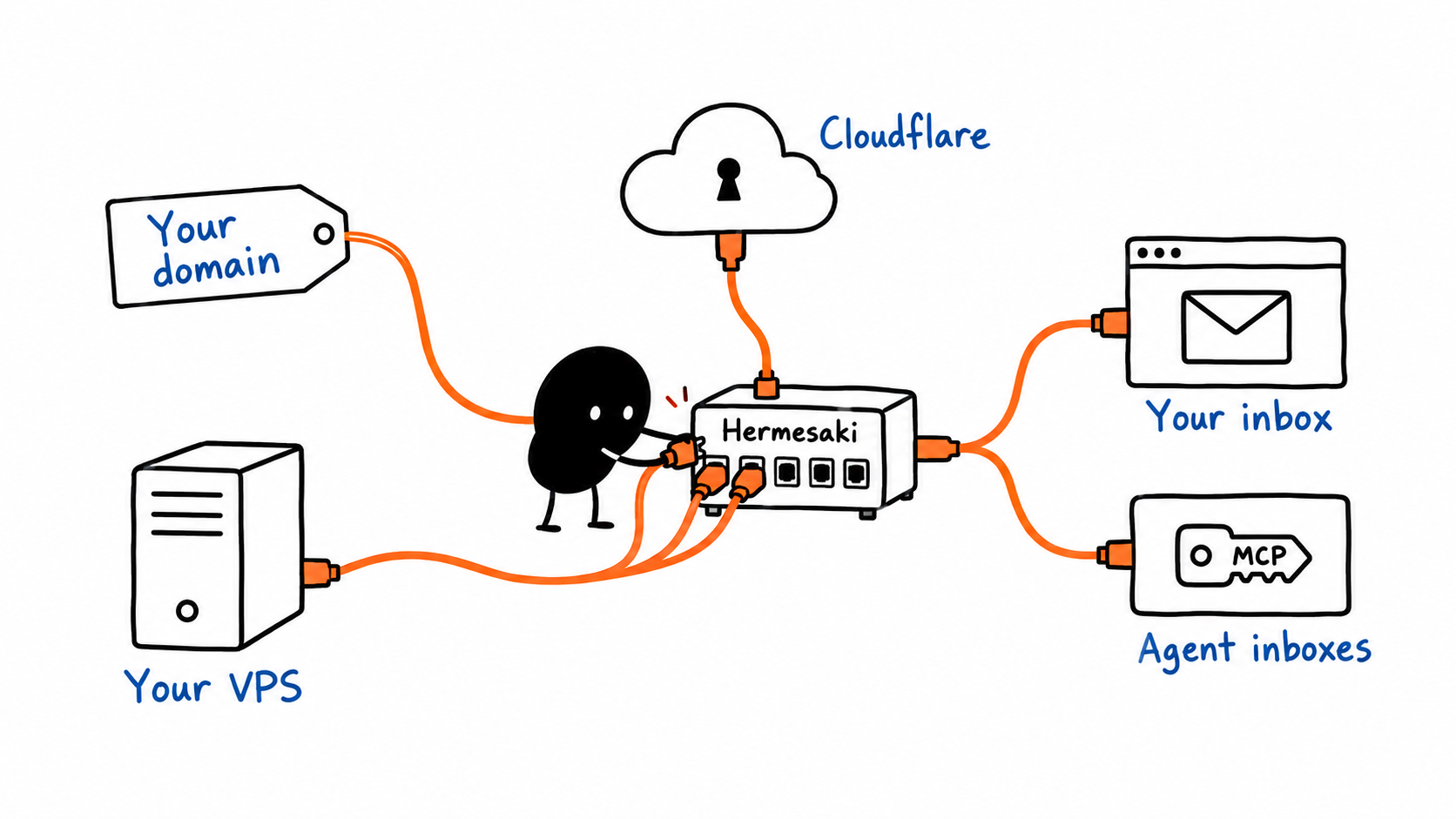
TL;DR: Hermesaki helps your agent set up email on your own server. Copy the setup prompt, provide your domain and server access, and get a browser inbox for yourself plus separate inboxes your agents can use through MCP.
In part 1, I set up email on my own domain using Stalwart, Roundcube and Cloudflare. I could open my inbox in a browser and let Codex read and send messages.
It worked, but there were a lot of pieces to connect. I wanted a way to make that setup easier to repeat.
That is why I’m building Hermesaki.
If you’re looking for a self-hosted AgentMail alternative for agent inboxes, or a Resend alternative for sending email from your own server, that’s the idea behind Hermesaki. You manage the server, domain and delivery rather than using a hosted email service.
Give your agent the setup
Hermesaki brings the installation wizard, inbox management and agent connection into one place. Stalwart still runs the mail server. Roundcube still provides the browser inbox. Hermesaki helps your agent put them together and gives you a dashboard to manage the result.
The starting point is a prompt you can copy from the setup guide and paste into your agent.
You provide your domain, the email address you want and access to a suitable VPS. If you use Codex with computer use, you can also open Cloudflare and your server provider in its connected browser and sign in. Your agent can then help configure those accounts through the browser.
The prompt tells it to inspect what is already running, check the server, install the services, configure DNS and protect the dashboard and webmail with Cloudflare Access. It should ask you for missing details and decisions as it goes.
Your domain and VPS stay in your own provider accounts, with their bills paid directly to those providers. Hermesaki helps your agent configure them.
If DNS needs time to update, the agent should save progress and tell you when to check again.
My inbox, and inboxes for my agents
I can keep my own address and create separate inboxes for agents on the same server.
I use webmail to read and write messages myself. An agent connects through MCP, with a key limited to its mailbox. I can allow reading, allow sending, set an expiry or revoke its access.
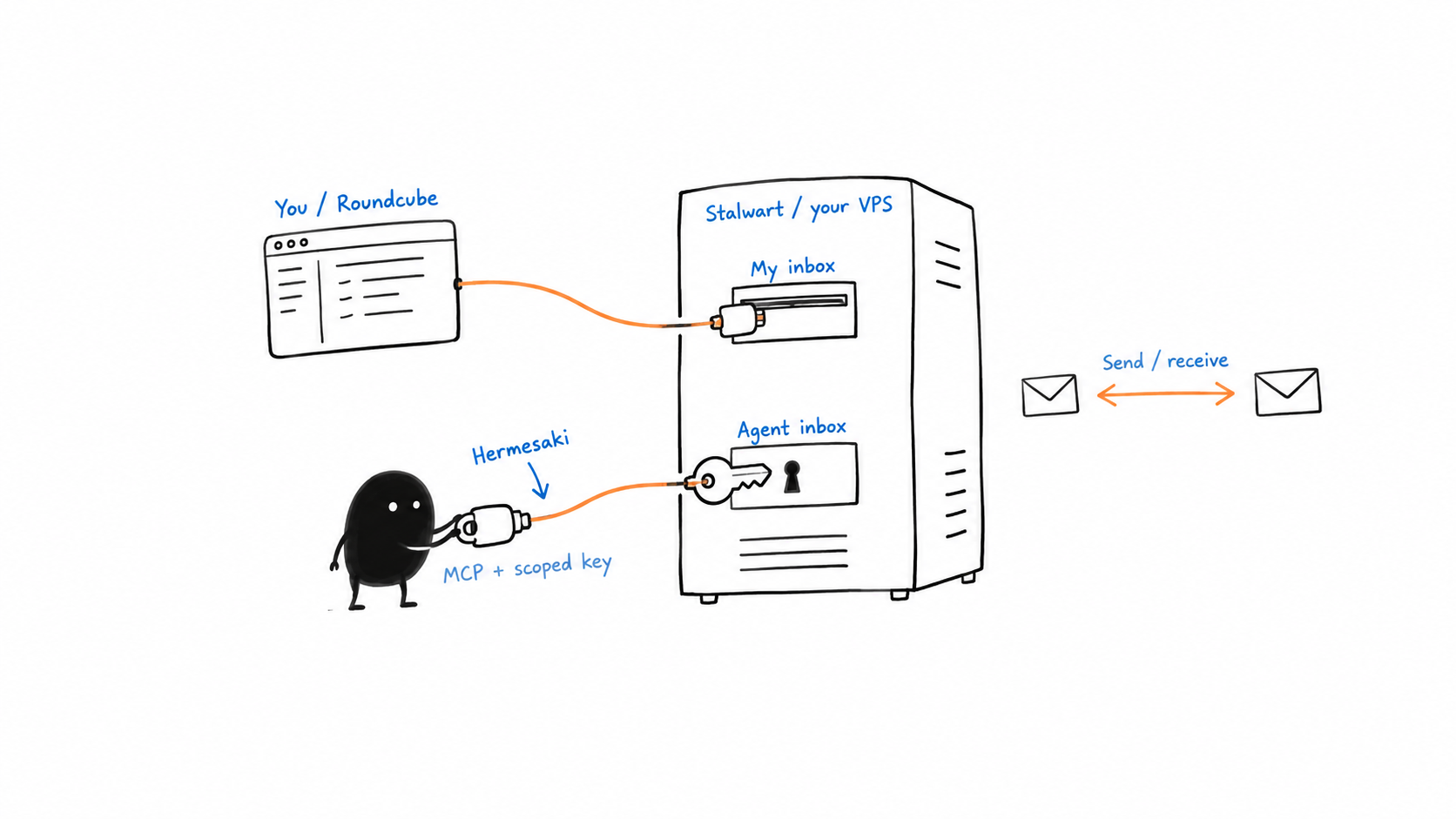
The guides cover Codex, Claude, Cursor, OpenCode and Grok, with configurations and setup prompts to copy. Once connected, I can ask:
Send an email to [email protected]. Subject: “Weekly update”. Body: “The report is ready.”
Does it work?
We had a fresh Codex subagent reinstall Hermesaki, then tested sending through MCP, receiving in Gmail, and reading and replying to the return message. The final email passed SPF, DKIM and DMARC. I hadn’t seen messages land in Spam in my earlier use. During this testing, some did. I was sending more test emails to my Gmail from different domains, which might be related, but I haven’t confirmed the cause. Check Spam during your own test too.
That assisted reinstall took 58 minutes including verification and troubleshooting. There is still work to do on making setup smoother. I’ve published the measured baseline so we can track the improvements.
Hermesaki is the next step from my original setup: my inbox, my agents’ inboxes, and a clearer way to get everything running on my own server.